
Zoho Books for Indian GST: A Complete Setup Guide with e-Invoice and e-Way Bill
Zoho Books simplifies Indian GST compliance by linking your financial ledger directly with government portals through secure GST Suvidha Provider APIs. Businesses can configure multi-branch GSTINs, automate real-time e-invoice IRN generation with signed QR codes, create e-way bills with one click, and reconcile monthly GSTR-2B Input Tax Credit without manually uploading JSON spreadsheets.

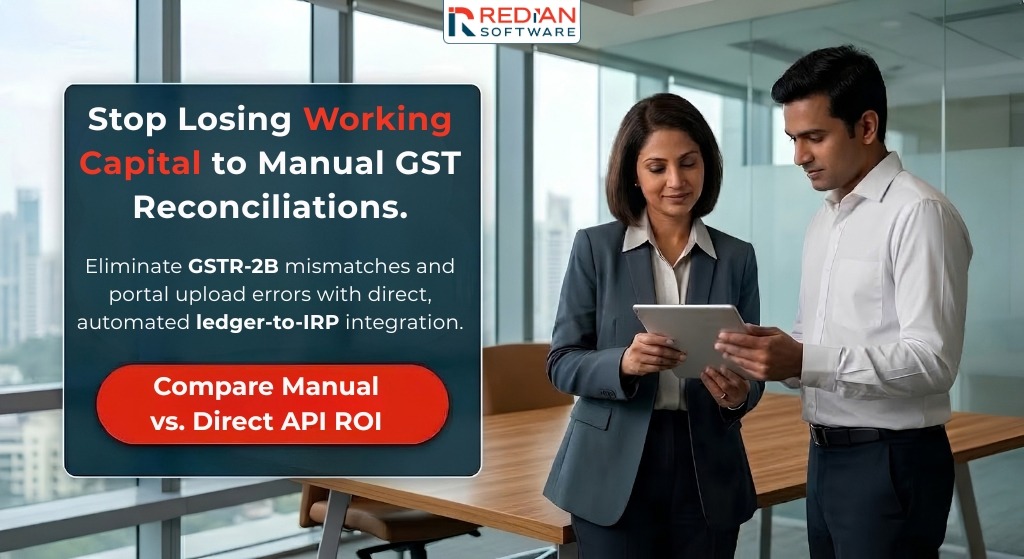
Direct Answer Summary: Zoho Books simplifies Indian GST compliance by linking your financial ledger directly with government portals through secure GST Suvidha Provider APIs. Businesses can configure multi-branch GSTINs, automate real-time e-invoice IRN generation with signed QR codes, create e-way bills with one click, and reconcile monthly GSTR-2B Input Tax Credit without manually uploading JSON spreadsheets. Aligned with statutory rules from the Central Board of Indirect Taxes and Customs (CBIC), Zoho Books protects businesses from reconciliation mismatches, tax notices, and filing delays.
For finance leaders and operational teams across India, staying compliant with Goods and Services Tax regulations requires precision. Tax authorities continuously tighten automated matching between supplier filings and buyer credit claims.
Handling billing, dispatch logistics, and return filing across detached tools introduces errors and compliance penalties. This complete setup guide walks you through every configuration step required to establish an automated, audit-ready GST system in Zoho Books.
How Does Zoho Books Compare with Traditional Manual GST Workflows?
Operating on detached systems forces finance departments to spend substantial time every month manually uploading JSON files and resolving discrepancies. The table below illustrates how Zoho Books automation transforms manual accounting:
| Compliance Area | Manual Disconnected Process | Automated Zoho Books Architecture |
|---|---|---|
| e-Invoice Generation | Export offline JSON files, log into the IRP portal, download signed payloads, and copy IRN back into invoices. | Generates 64-character IRN and signed QR code instantly upon invoice approval with direct API validation. |
| e-Way Bill Dispatch | Calculate road distances manually, enter vehicle numbers on the transit portal, and re-key invoice values. | Calculates pin-to-pin distance automatically; generates Part-A and Part-B e-way bills with a single click. |
| ITC Reconciliation | Download monthly portal spreadsheets, run manual Excel lookups, spend days investigating missing vendor bills. | Automated two-way matching against GSTR-2B; highlights matched, mismatched, and missing invoices instantly. |
| Multi-Branch Control | Manage separate accounting files per state; combine balances manually at month-end. | Unified multi-branch platform supporting distinct state GSTINs, central master items, and consolidated reports. |
| Audit Preparedness | Scattered paper receipts, missing HSN summaries, risk of unverified vendor claims triggering interest notices. | Immutable digital audit trail with real-time GSTIN validation and automated reverse charge calculations. |
Why Must Indian Businesses Automate GST, e-Invoicing, and e-Way Bills?
India's indirect tax system is anchored on real-time data matching. The Goods and Services Tax Network (GSTN) reconciles outward supplies reported in GSTR-1 against auto-generated e-invoices and e-way bills.
Under Rule 48(4) of the CGST Rules, any B2B invoice issued without a valid Invoice Reference Number (IRN) by an obligated entity is legally invalid. Buyers cannot claim Input Tax Credit on invalid invoices, creating friction with clients and exposing your firm to financial penalties.
Key operational and regulatory factors driving automation include:
- Lowered e-Invoicing Thresholds: Statutory compliance applies across broader turnover thresholds. Generating e-invoices manually through offline JSON utilities slows order fulfillment.
- Strict Input Tax Credit Matching: Buyers can only claim ITC if supplier invoices appear in their auto-generated GSTR-2B. Inconsistencies delay invoice clearances and strain working capital.
- Real-Time Transit Verification: Moving goods without an active e-way bill risks vehicle interception, transit delays, and statutory fines under Section 129.
- Risks of Segmented Software: Handling accounting and statutory filing across separate tools causes clerical discrepancies during annual audits.
As an Authorized Zoho Partner in India and recognized Advanced Zoho Partner, Redian Software implements Zoho Books for fast-growing companies and Global Capability Centers. You can create your company account through our Zoho Books Partner Store Portal to access regional onboarding support and expert configuration.
Phase 1: Foundation Setup: Configuring GSTIN, Multiple Branches, and Tax Rates
Before recording transactions, configure your organization profile, chart of accounts, and tax master to mirror your statutory corporate profile:
Step 1: Enabling GST Settings in Organization Profile
Go to Settings \> Taxes \> GST Settings in your Zoho Books dashboard. Toggle 'Is your business registered for GST? to active. Enter your 15-digit Goods and Services Taxpayer Identification Number (GSTIN). Zoho Books validates the structure instantly, checking the state code, PAN, entity code, and checksum.
- Choose Registration Scheme: Select Regular or Composition based on your corporate tax registration certificate.
- Define Legal Business Address: Set your registered business address matching your GST certificate to ensure accurate state tax identification.
- Configure Trade Settings: Enable international trade options if you supply cross-border services or export physical goods.
Step 2: Configuring Multi-Branch and Multi-GSTIN Architectures
When operating offices, plants, or distribution hubs across multiple Indian states, you hold separate GSTINs for each state. Rather than buying separate software licenses for each location, Zoho Books handles multi-branch operations within a unified environment. Explore our CRM and ERP implementation services to see how we build unified corporate accounting across state branches.
- Turn on Branch Management: Navigate to Settings \> Branches and enable multi-branch functionality.
- Map State Identifiers: Assign state-specific GSTINs, warehouse addresses, and distinct invoice prefixes (such as DL/26/ or MH/26/) to each branch.
- Automate Tax Calculations: Zoho Books applies CGST and SGST for sales within the state branch, and calculates IGST for inter-state deliveries automatically.
Step 3: Harmonized System of Nomenclature (HSN) and SAC Master Setup
Accurate HSN codes for products and SAC codes for services are mandatory under government filing guidelines. In Zoho Books, configure item master records with 6-digit or 8-digit HSN codes. Detailed guidelines are outlined in the Zoho Books India GST Documentation. Accurate codes prevent rejections during e-invoice API transmission.
CRITICAL CONFIGURATION RULE: REVERSE CHARGE MECHANISM (RCM).
Under Section 9(3) and 9(4) of the CGST Act, tax liability shifts to the recipient for notified supplies, including Goods Transport Agency (GTA) services, legal counsel, and director fees. In Zoho Books, mark these expense categories as 'Reverse Charge Applicable.' The platform computes the liability, credits your electronic cash ledger, and reflects the transaction accurately in Table 3.1(d) of GSTR-3B.
Phase 2: Direct e-Invoice Integration: Generating IRN and QR Codes
Generating e-invoices does not require manual portal uploads. Zoho Books connects directly to the national Invoice Registration Portal via certified GST Suvidha Providers.
Step 1: Connecting Zoho Books to the NIC e-Invoice Portal
To connect your system, register Zoho Corporation as your approved software provider on the government portal. Log in to the NIC e-Invoice Portal. Select Registration \> GSP, click 'Add New', choose Zoho India as your authorized GSP, and set your direct API credentials. In Zoho Books, go to Settings \> e-Invoicing, enter these credentials, and save. Your accounting software is now linked to the national registry.
Step 2: Instant IRN Generation and Document Lifecycle
Once configured, standard billing workflows trigger statutory verification automatically:
- Create Tax Invoice: Create your sales invoice, verifying customer GSTIN, addresses, HSN codes, and tax rates.
- Transmit Payload: Click 'Push to e-Invoice' on the invoice view screen to transmit data to the IRP.
- Receive Approval: The portal returns the unique 64-character IRN, an acknowledgment number, and a signed QR code within seconds.
- Print and Dispatch: Zoho Books embeds the QR code and IRN directly onto your invoice PDF template for instant emailing to your customer.
Handling e-Invoice Cancellations and Modifications
Under government guidelines, an IRN can only be cancelled on the IRP within 24 hours of creation. In Zoho Books, select a valid cancellation reason on the invoice view to cancel it directly. If more than 24 hours pass, the IRN cannot be cancelled on the portal. You must create a Credit Note in Zoho Books and generate an IRN for that Credit Note.
Phase 3: e-Way Bill Integration: Managing Transit Compliance
Whenever transporting goods valued above statutory limits (typically INR 50,000 across India), shipments require an active e-way bill. Zoho Books links directly to the NIC e-Way Bill System, avoiding double entry of invoice and shipping data.
Configuring Part-A and Part-B Automation
- Part-A Transportation Slip: Contains invoice values, consignor and consignee GSTINs, and dispatch addresses. Zoho Books fills this automatically from the invoice.
- Part-B Vehicle Allocation: Captures transporter ID and vehicle registration details. Warehouse staff can input vehicle details directly or assign shipments to logistics partners.
- Automated Distance Calculation: Built-in postal code mapping calculates transit distances between dispatch points and delivery destinations automatically, preventing road penalties.
Combined e-Invoice and e-Way Bill Generation
For manufacturing and wholesale distribution firms moving goods, Zoho Books provides combined generation. Select 'Generate e-Way Bill along with e-Invoice' during invoice finalization. A single API request generates both the 64-character IRN and the 12-digit e-way bill number, embedding both onto your dispatch document.
Phase 4: Input Tax Credit Reconciliation with GSTR-2B and Return Filing
Claiming unverified Input Tax Credit introduces financial risk. Section 16(2) (aa) prohibits ITC claims unless supplier invoices appear in GSTR-2B. The Institute of Chartered Accountants of India highlights thorough reconciliations in its technical publications, available via the ICAI Official Portal. Zoho Books provides a built-in reconciliation engine to automate this review.
Automated GSTR-2B Fetch and Reconciliation Engine
Connect your GST portal login within Zoho Books under GST Filing. On the 14th of each month, download your auto-drafted GSTR-2B statement. Zoho Books reconciles your recorded bills against government records, sorting transactions into three categories:
- Matched Invoices: Invoice numbers, dates, and tax amounts match recorded vendor bills. These are approved for ITC claims.
- Partially Matched Records: Differences found in rounding, invoice dates, or tax values. Zoho Books highlights the specific field mismatch for rapid adjustment.
- Unmatched Vendor Bills: Purchases recorded in your ledger that are missing from GSTR-2B. Send automated follow-up emails directly to suppliers requesting prompt filing.
Direct GSTR-1 and GSTR-3B Return Filing
Once books are balanced, Zoho Books organizes return data into clean filing summaries. For GSTR-1, upload B2B sales, B2C summaries, and HSN tables directly to the GSTN portal. For GSTR-3B, preview auto-calculated tax liabilities, offset available ITC, and complete your filing without manual re-entry.
Real-World Case Studies: How Indian & Global Enterprises Scale with Zoho Books
Transitioning enterprise accounting to an automated environment requires practical planning. Our team of Zoho consulting experts in India has guided multiple enterprise rollouts:
[CASE STUDY 1: MANUFACTURING WORKFLOWS & ACCOUNTING AT AXXON]
Challenge: Axxon experienced delays managing raw material procurement, bill of materials (BOM), multi-stage manufacturing, and statutory taxation across disconnected accounting sheets.
Solution: Redian Software deployed Zoho Books Elite Edition, tailored for Axxon's manufacturing operations. The rollout consolidated customer profiles, automated production costing, synchronized inventory valuations with financial ledgers, and streamlined automated tax invoicing.
Outcome: Axxon gained real-time visibility across raw material inventory and finished product sales, cutting month-end financial closing time from twelve days to under forty-eight hours.
[CASE STUDY 2: WHOLESALE DISTRIBUTION & INVENTORY AT LOGISYS]
Challenge: Logisys, a distributor of hydraulic components, relied on manual logs, physical registers, and spreadsheets, causing inventory mismatches and billing delays.
Solution: Redian Software implemented Zoho One with Zoho Books at the financial core. Invoicing, purchase orders, inventory deduction, and tax calculations were linked into a unified digital workflow.
Outcome: The company eliminated stock discrepancies, automated dispatch taxation, and gained instant Profit & Loss visibility. Sales invoices adjust inventory in real time while tracking GST liabilities effortlessly.
[CASE STUDY 3: MULTI-ENTITY FINANCIAL GOVERNANCE AT SAMUEL HALL]
Challenge: Operating across four international entities with distinct regulatory frameworks, Samuel Hall required unified financial governance, automated multi-currency tracking, and clear audit reporting.
Solution: Redian Software led a complete migration from legacy accounting software to Zoho Books and Zoho Projects, introducing multi-entity financial structures, multi-currency accounting, and GAAP-aligned ledgers.
Outcome: Unified four legal entities under standardized financial governance, delivering automated cross-entity reporting, accurate intercompany billing, and complete audit transparency.
Learn more about our enterprise delivery practice by reviewing our guides on accounting migration to Zoho Books, our perspective on MSME digital transformation with Zoho, our specialized custom software development services, and our enterprise financial systems case studies.
Discover more about our qualifications on our official Zoho partnership page.
What Are the Most Common Pitfalls During Zoho Books GST Implementation?
While Zoho Books includes native compliance tools, configuration oversights can create tax discrepancies. Our implementation specialists regularly resolve four recurring issues:
- Shared Document Series Across Branches: Using identical invoice series across multiple state branches violates Rule 46 of the CGST Rules. Maintain unique sequence prefixes for each state of GSTIN.
- Mismatched Place of Supply (POS): Selecting customer billing states that differ from shipping destinations creates incorrect IGST versus CGST/SGST entries. Set Place of Supply rules carefully for drop-shipments.
- Truncated HSN Code Lengths: Entering 2-digit or 4-digit codes when turnover brackets mandate 6-digit or 8-digit HSN codes causes IRP API rejection. Confirm HSN lengths against turnover rules.
- Unmapped Reverse Charge Expenses: Omitting reverse charge flags on unregistered freight bills leads to unpaid liabilities and interest assessments during audits.
Next Steps: Modernize Your Enterprise GST Accounting with Redian Software
Managing indirect taxes does not need to consume your finance team's capacity. By automating accounting, e-invoicing, and transit tracking in Zoho Books, you remove manual filing hurdles, safeguard Input Tax Credit, and maintain audit readiness across every transaction.
Ready to modernize your financial operations? Sign up for Zoho Books through our Partner Store to receive regional onboarding assistance, or schedule a direct consultation with Redian Software's certified Zoho finance consultants. Our enterprise delivery centers in Noida, India and across global hubs are ready to support your deployment.
Frequently asked questions
- Can Zoho Books generate e-invoices for previous financial years? +
- No. Government portals only allow e-invoices for current active transactions. Invoices dated outside permitted reporting windows are rejected by the IRP. Prior period corrections must be made through credit or debit notes.
- What happens if internet connectivity drops while dispatching an e-Way Bill? +
- Zoho Books saves transaction drafts securely in your cloud ledger. Once connectivity resumes, click 'Push to e-Way Bill' to generate the document. Goods should never be dispatched until the valid 12-digit e-way bill number is generated.
- How does Zoho Books handle multi-currency export billing under GST? +
- Zoho Books supports exports with payment of tax and exports without payment of tax under Letter of Undertaking (LUT). Choose your billing currency, enter your LUT filing number, and the platform formats the export e-invoice with shipping port codes and zero-rated tax schedules automatically.
- Is Zoho Books capable of filing GSTR-1 and GSTR-3B directly to the government portal? +
- Yes. With GST portal credentials linked, you can upload GSTR-1 data directly via API and review auto-calculated GSTR-3B totals. Finalize your submission using an Electronic Verification Code (EVC) or Digital Signature Certificate (DSC).
- Why should businesses work with an Authorized Zoho Partner for accounting setup? +
- Working with certified professionals ensures your chart of accounts, multi-branch tax mappings, and inventory ledgers comply with Indian accounting standards from day one. Proper setup prevents tax notices and avoids migration delays.
Stay current with our insights
One monthly email. Banking, insurance, AI/ML and CRM field notes. No spam.
We respect your privacy. Read our Privacy Policy.
Keep reading
More from Zoho Books

AI/ML
Agentic AI in Financial Services: How Redian Software Moves Banks From Pilot to Production in 90 Days
A 90-day framework for banks and insurers moving from GenAI pilots to autonomous agentic workflows — decision matrix, four-layer architecture, dual-circuit governance and three live BFSI deployments.
15 Oct 2026
Zoho
Zoho Desk vs Zendesk: A 2026 Pricing and Features Comparison
A side-by-side look at Zoho Desk vs Zendesk in 2026 — per-agent pricing, AI billing models, omnichannel coverage, SLA governance and total cost of ownership for North American support teams, from an authorised Zoho Consulting Partner.
13 Oct 2026
Zoho
Zoho Books and KRA eTIMS Integration: What Kenyan Businesses Need to Know
Zoho Books connects directly to KRA eTIMS via the Online Sales Control Unit (OSCU) — validate customer PINs, generate QR-coded tax invoices and transmit to KRA in real time. A step-by-step setup guide for Kenyan businesses from an accredited Advanced Zoho Partner.
02 Oct 2026
Build with Redian
Have a similar build in mind?
We've shipped zoho books systems for banks, insurers, brokers, MFIs, SACCOs and enterprises across the USA, UK, Africa, UAE and India. Book a 30-min call with a senior engineer — no pitch deck, just a sharp first read on your initiative.
- CMMI Level 3 Appraised · ISO Certified delivery
- 1 business day response · NDA on request
- Senior engineers, not sales — first call